Accessing Dashboard
The TrustLab Dashboard is your central command center for managing certificates. Here you can request new certificates, download keys, and manage existing ones.
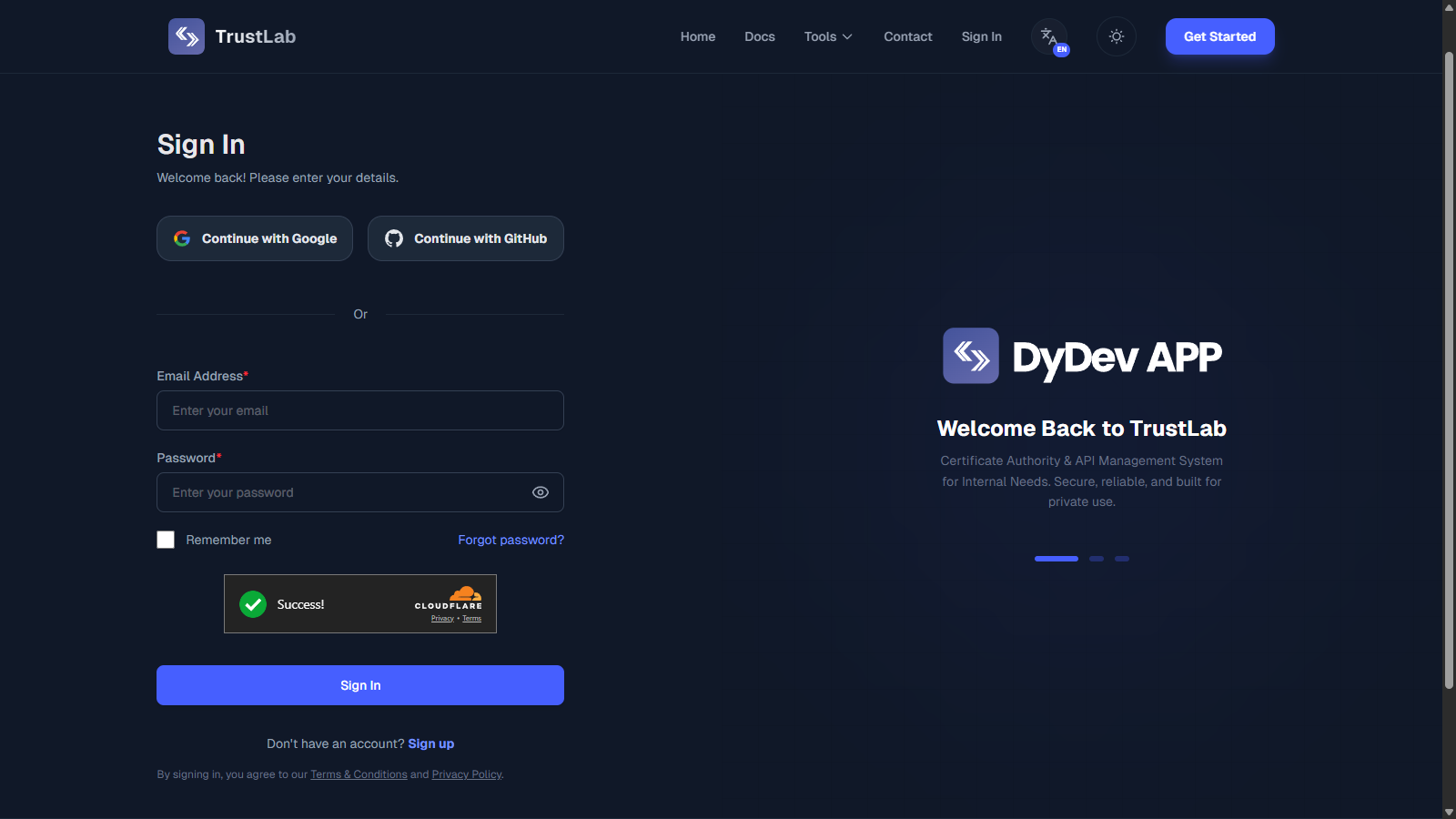
Authentication Methods
We prioritize security by offering modern, passwordless authentication options.
1. Single Sign-On (SSO)
The fastest way to log in. Click Continue with Google or Continue with GitHub.
SSO Behavior:
- Existing Users: You can only Log In via SSO if your email address is already registered.
- New Users: You can Register a new account instantly by clicking the Social Login buttons on the Sign In or Sign Up page.
2. Magic Link
Secure, passwordless login via email.
Enter Email
Input your registered email address in the login form and click "Continue with Email".
Check Inbox
You will receive an email with a unique, time-sensitive login link.
Click to Verify
Click the "Sign in to TrustLab" button in the email. You will be instantly logged in to the dashboard.
Expiration: Magic links are valid for 15 minutes only. If it expires, simply request a new one by entering your email again.
Dashboard Overview
Upon successful login, you will land on the main dashboard.
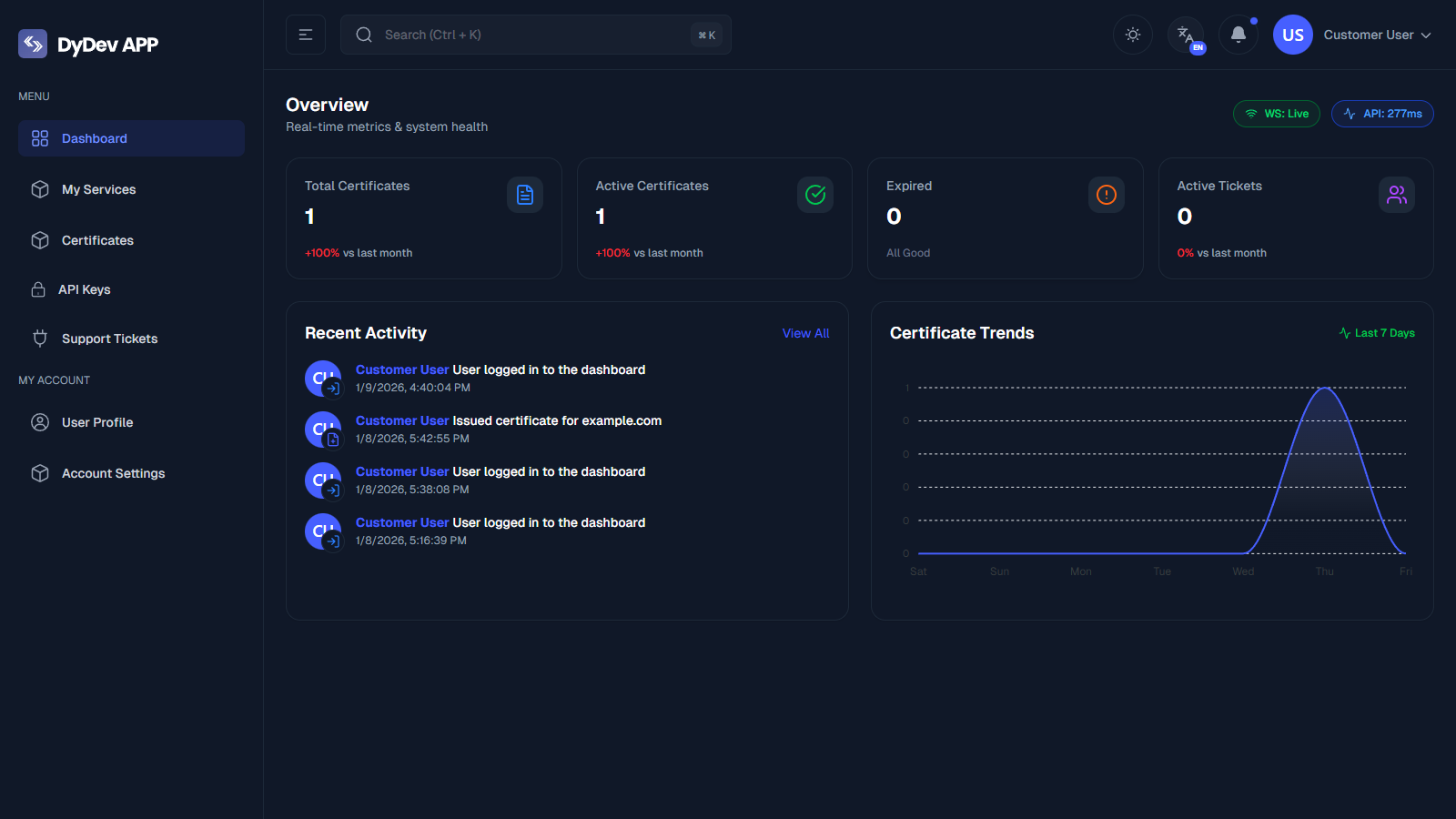
This central hub allows you to access:
- Active Certificates: View all valid certificates issued to you.
- Request Certificate: The wizard to generate a new Private Key and CSR.
- Revocation: Interface to mark lost or compromised certificates as invalid.
Registration
New users can create an account to start managing certificates.
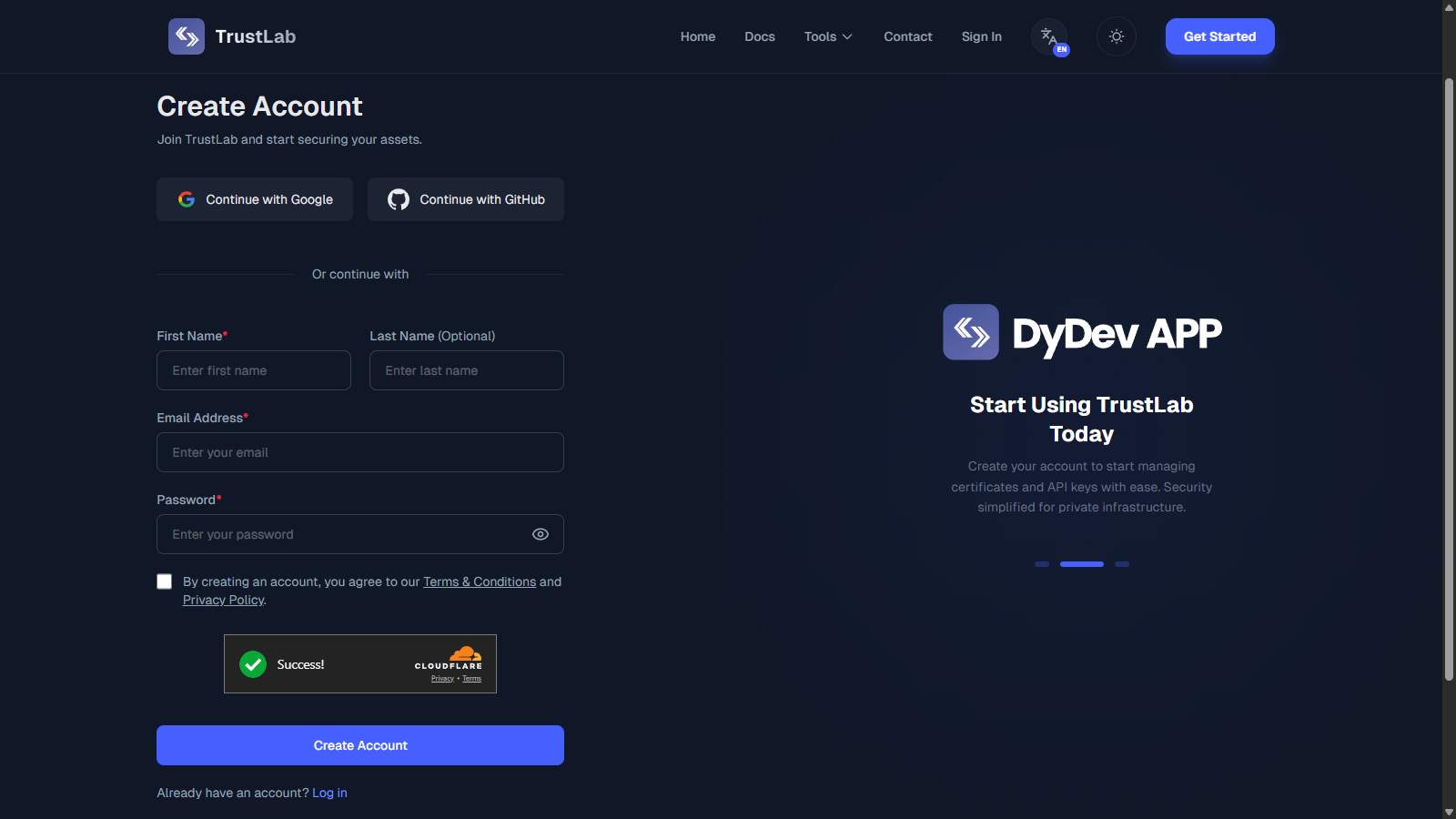
Option A: Social Registration (Instant)
- Click Continue with Google or Continue with GitHub.
- Set Password: First, ensure you have Installed the Root CA on your device.count.

Option B: Email Registration
- Click "Sign up" or fill the form.
- Provide your details and password.
- Verify Email: Click the link sent to your inbox to activate.
Password Recovery
If you lose access to your account, you can reset your password securely.
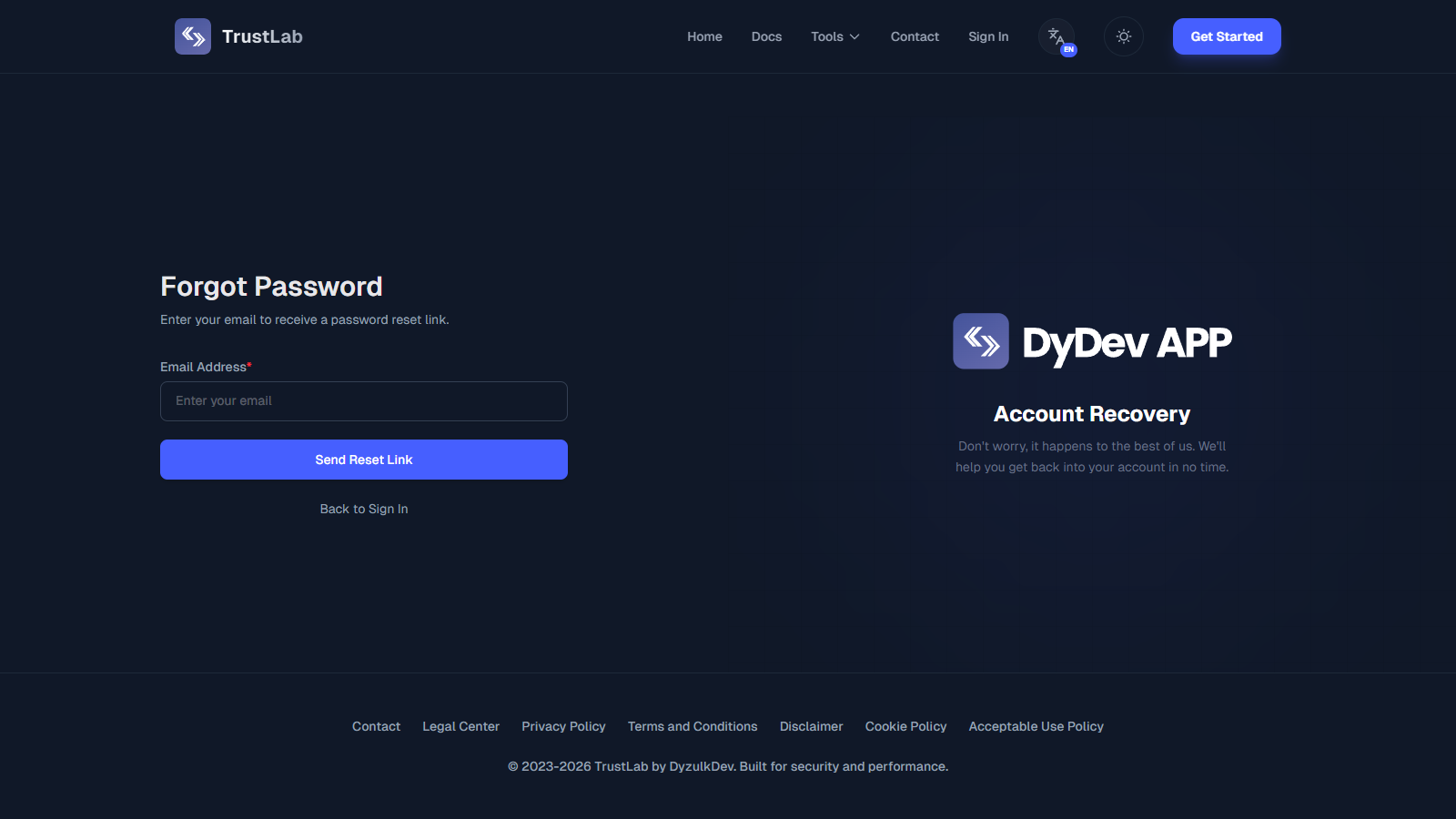
- Click "Forgot password?" on the login screen.
- Enter your registered email address.
- Check your inbox for a password reset link.
- Create a new password and log in.
Troubleshooting
I didn't receive the Magic Link
- Check Spam/Junk: It often lands there for corporate domains.
- Wait 1-2 Minutes: Email delivery can sometimes be delayed.
- Whitelist Sender: Add
@trustlab.dyzulk.comto your email provider's Safe Senders list to prevent it from being blocked.
Access Denied / User Not Found
- Typos: Double-check your email address.
- Not Registered: If you haven't created an account yet, please Sign Up first. You cannot log in via SSO if your email is not in our system (unless you use the Sign Up flow).